Overview
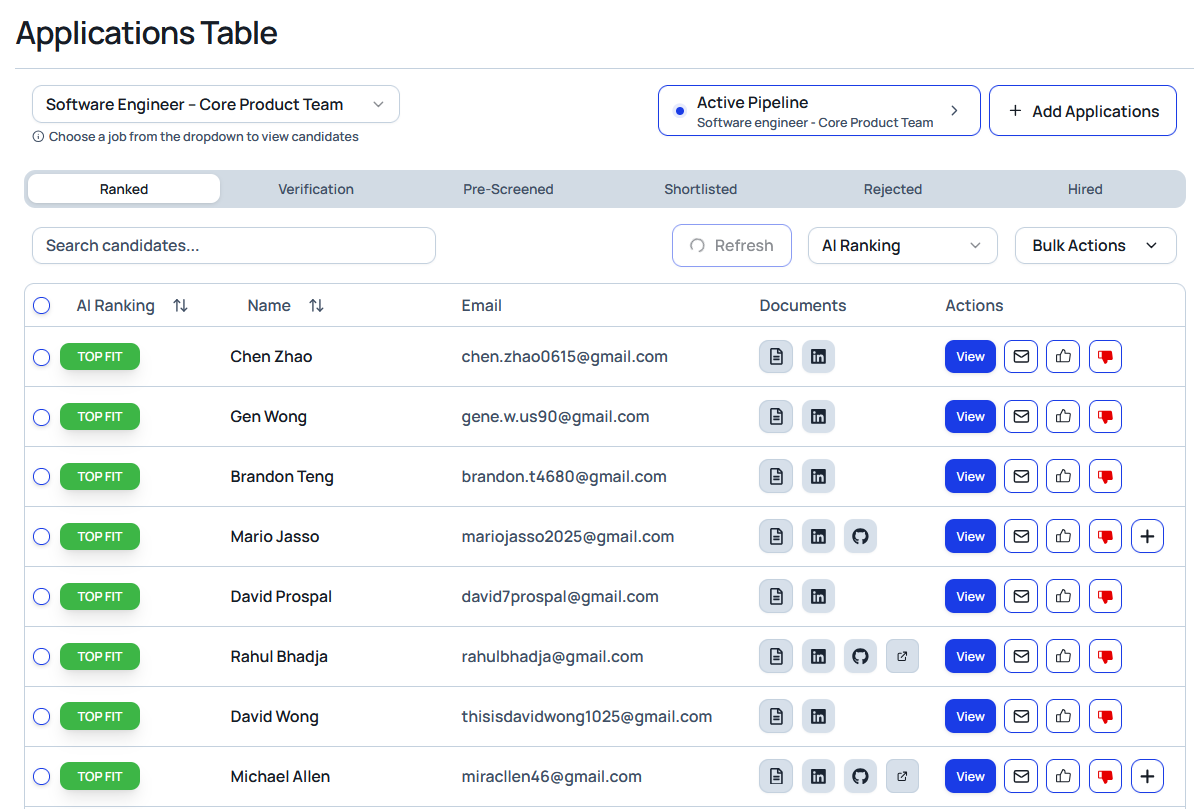
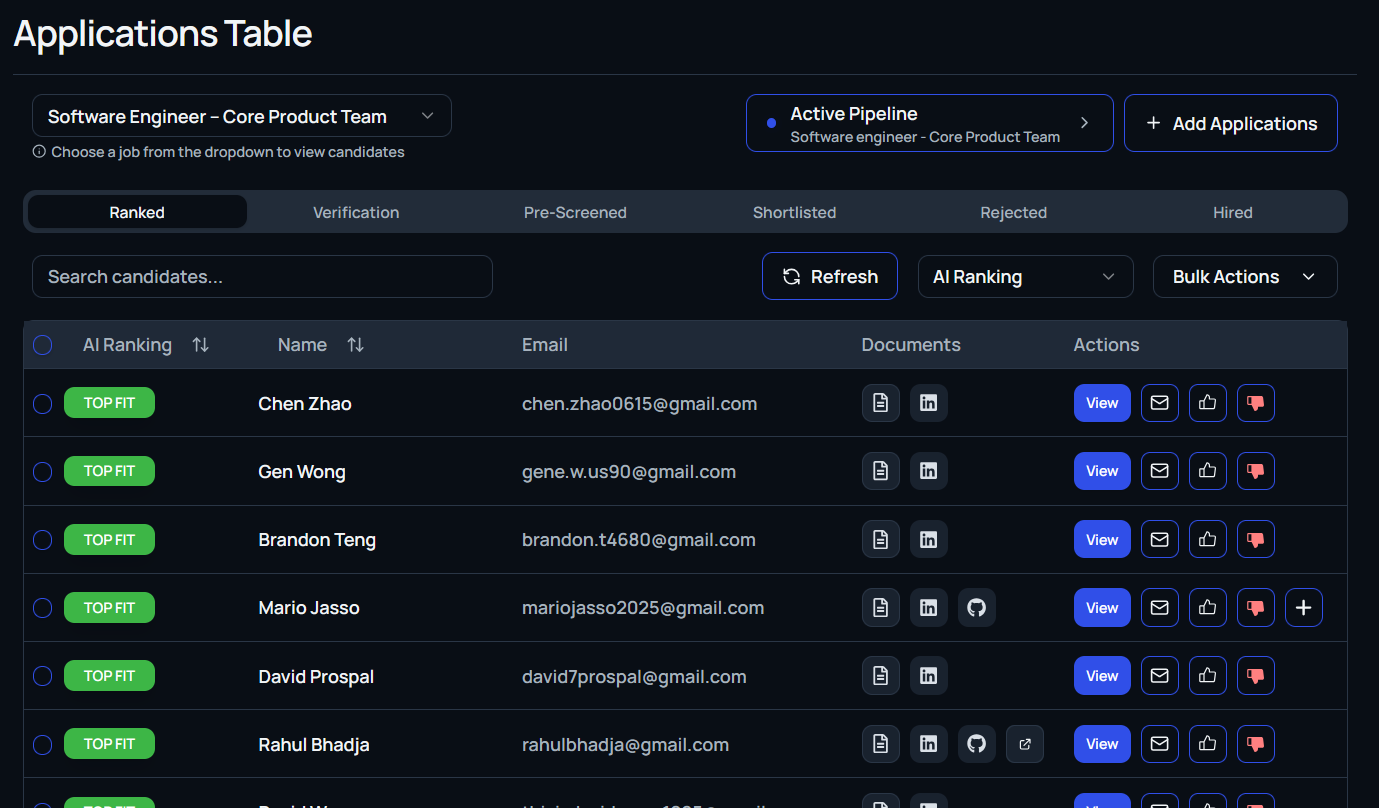
The Candidate Table is the command center for managing applicants tied to a specific job. Celect AI automatically categorizes each candidate based on how closely their background aligns with your requirements, giving you an instant read on fit before you dig into profiles.
Status Tabs
Filter the table with the tabs along the top:
- Ranked: Displays every AI-ranked candidate for the active job.
- Flagged: Focus on candidates your team has manually flagged for review.
- Pre-screened: Shows applicants who cleared your initial screening questions.
- Shortlisted: Highlights the people you marked as promising.
- Rejected: Keeps disqualified applicants accessible for auditing.
Candidate Row Details
Every row includes at-a-glance context:
- AI ranking: Celect’s match score for the job.
- Documents: Quick links to resumes, LinkedIn, GitHub, portfolios, and more.
Use filters or search to narrow results, then apply bulk actions (move, email, reject) to manage multiple candidates simultaneously.
AI Match Tags
Match indicators give instant clarity on how each candidate stacks up:
- High Match: Strong alignment with role criteria.
- Strong Match: Key qualifications closely match requirements.
- Meets Criteria: Core qualifications are present based on AI screening.
- Partial Match: Some alignment detected, but notable gaps remain.
- Low Match: Limited alignment with the required skills or experience.
- Needs Review: Missing information or inconsistencies flagged for manual follow-up.
Row Action Buttons
The action set to the right of each candidate supports quick decision-making:
View
Opens the full candidate profile, including parsed experience, education, skills, attached documents, linked profiles, AI insights, assessment results, interview feedback, and a timeline of every action your team has taken.
Additional Actions
Depending on your workspace configuration, other buttons may offer shortcuts to emailing, moving stages, or applying labels without leaving the table.