Overview
The Subscription page summarizes your current plan and provides controls to manage billing, team limits, and feature access. Use it to confirm allowances, adjust plans, or update payment information as your hiring needs evolve.
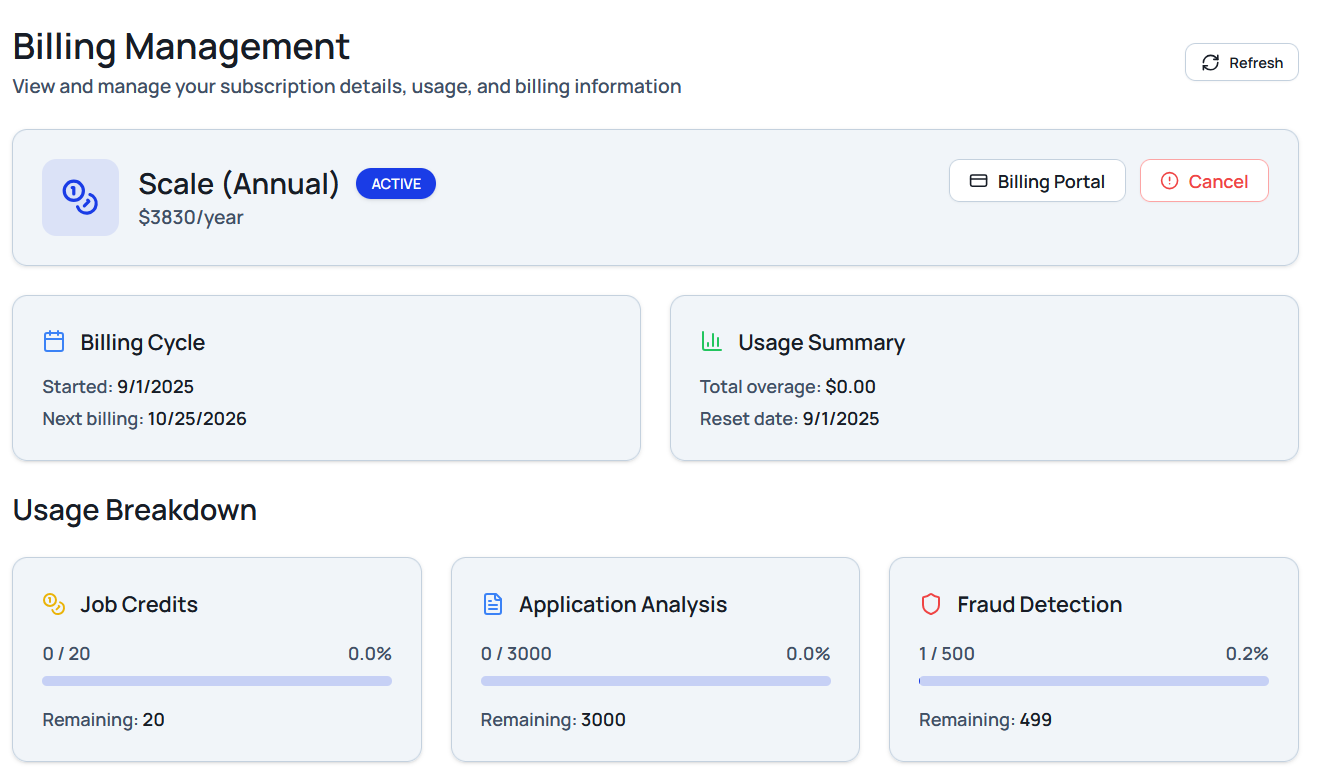
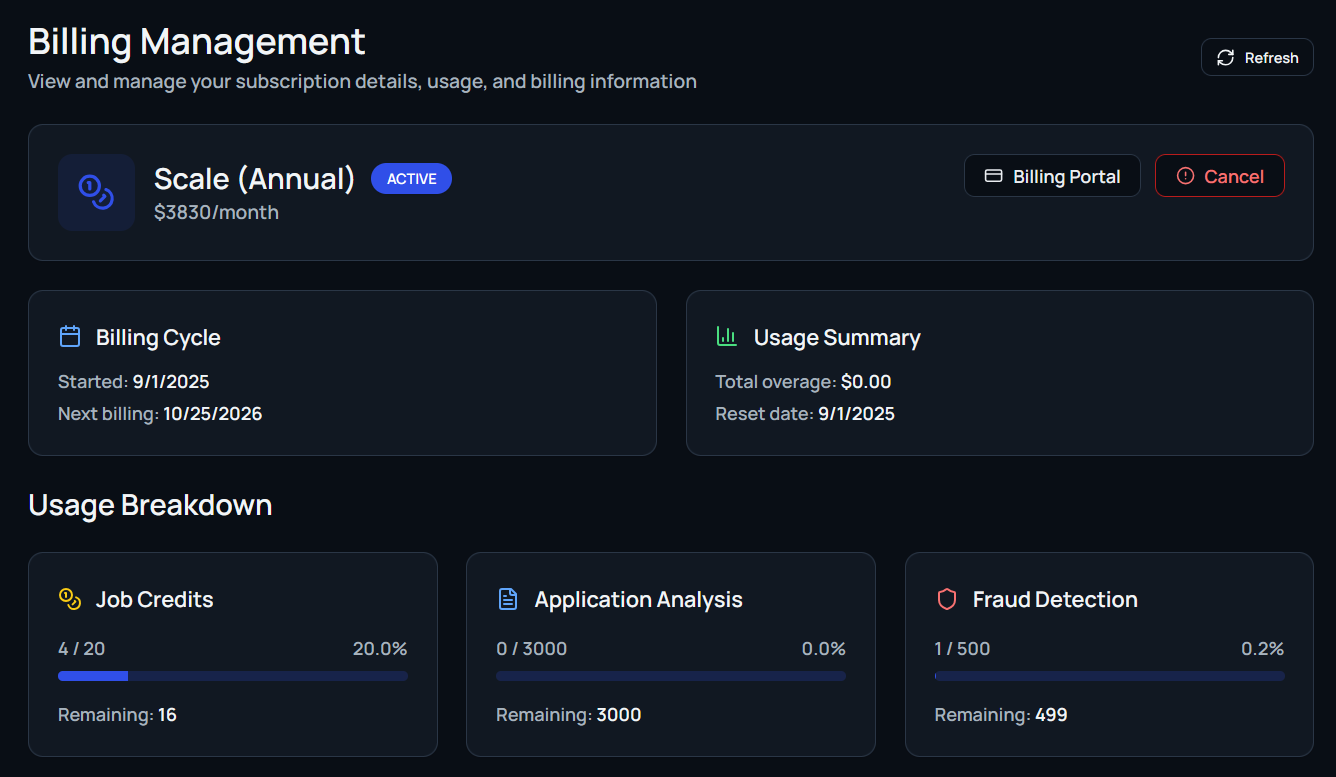
Current Subscription Details
The details card highlights:
- Plan name: For example, Scale Subscription – $299/month.
- Billing cycle: Start date, next payment date, and renewal cadence.
- Usage allowances: Remaining job postings, resume parses, or other plan-based quotas.
- Active features: Enabled modules like resume parsing, extended team seats, or priority support.
Use Cancel Subscription to stop future billing or Manage Billing to update payment methods and invoice details.
Downgrade or Upgrade Plans
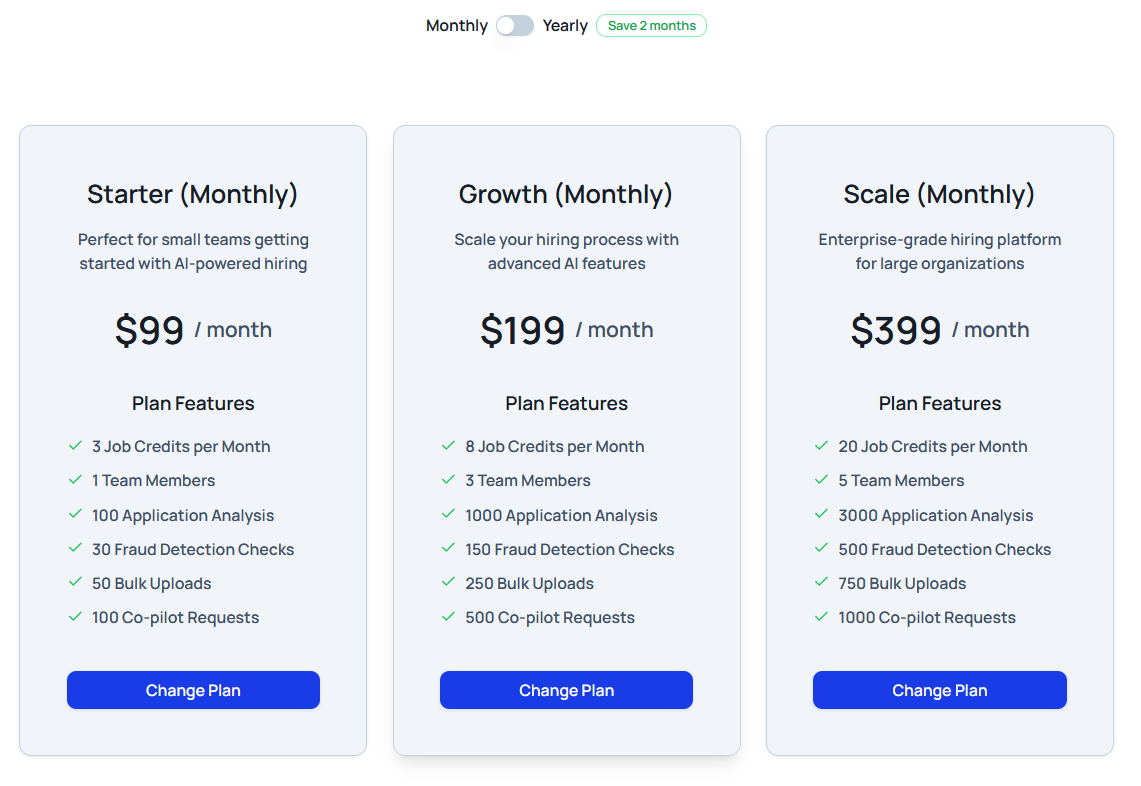
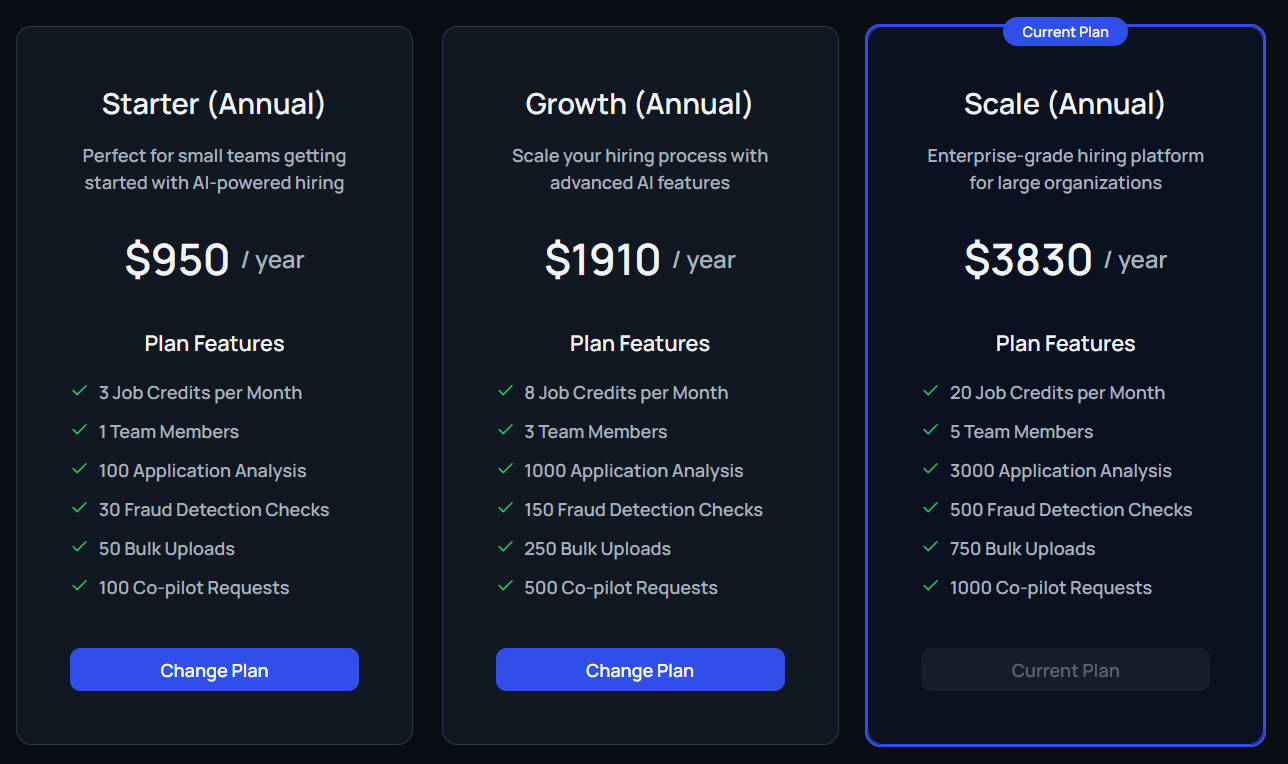
Switch plans at any time to match your organization’s scale. Compare tiers—such as Start-up, Business, or Scale—and review differences in job posting limits, user capacity, and advanced features. Select Downgrade Plan or Upgrade Plan to confirm the move.
Billing History
Track previous invoices and subscription changes directly on the page. The history view records current and past plans, payment dates, and any pending adjustments so finance teams stay informed.