Section 2: Organization Switcher
Switch between organizations, launch new workspaces, and monitor subscription data.
Overview
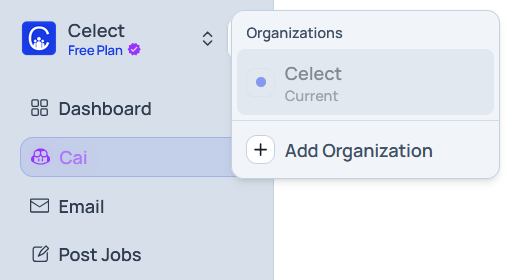
The organization switcher sits at the top-left of the sidebar. It displays your active organization (for example, Nike) alongside the current subscription plan, such as Free Plan or Scale Subscription.


Switch or Add Organizations
- Select the dropdown arrow next to the organization name.
- Review the list of organizations you already belong to and choose one to switch instantly.
- If available, choose Create New Organization and follow the guided setup to launch a new workspace.

Additional Information Displayed
- Subscription tier: Confirms the plan assigned to the active organization.
- Team usage: Shows how many teammates are active out of the seat limit (for example,
7/10). - Credits: Displays the remaining credit balance so you can track usage for job posts, resume parsing, or other plan-based actions.